 Telecut
Teleprompter for iPhone
Read your script.
Look at the lens.
Telecut puts your script right under the camera, follows your voice as you speak, and turns your takes into a finished video. All in one app.
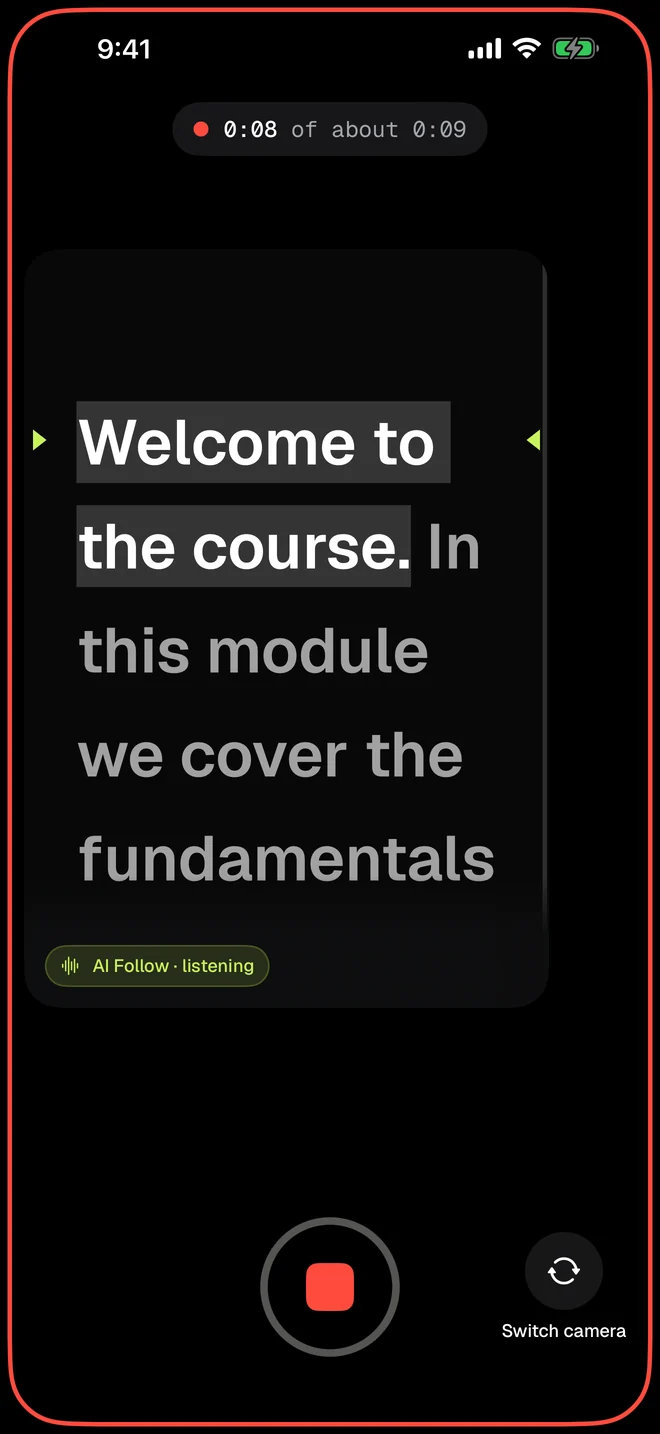
From script to finished video, in one app.
Write, record, edit and export, all in Telecut and all on your iPhone.
01 — WRITE
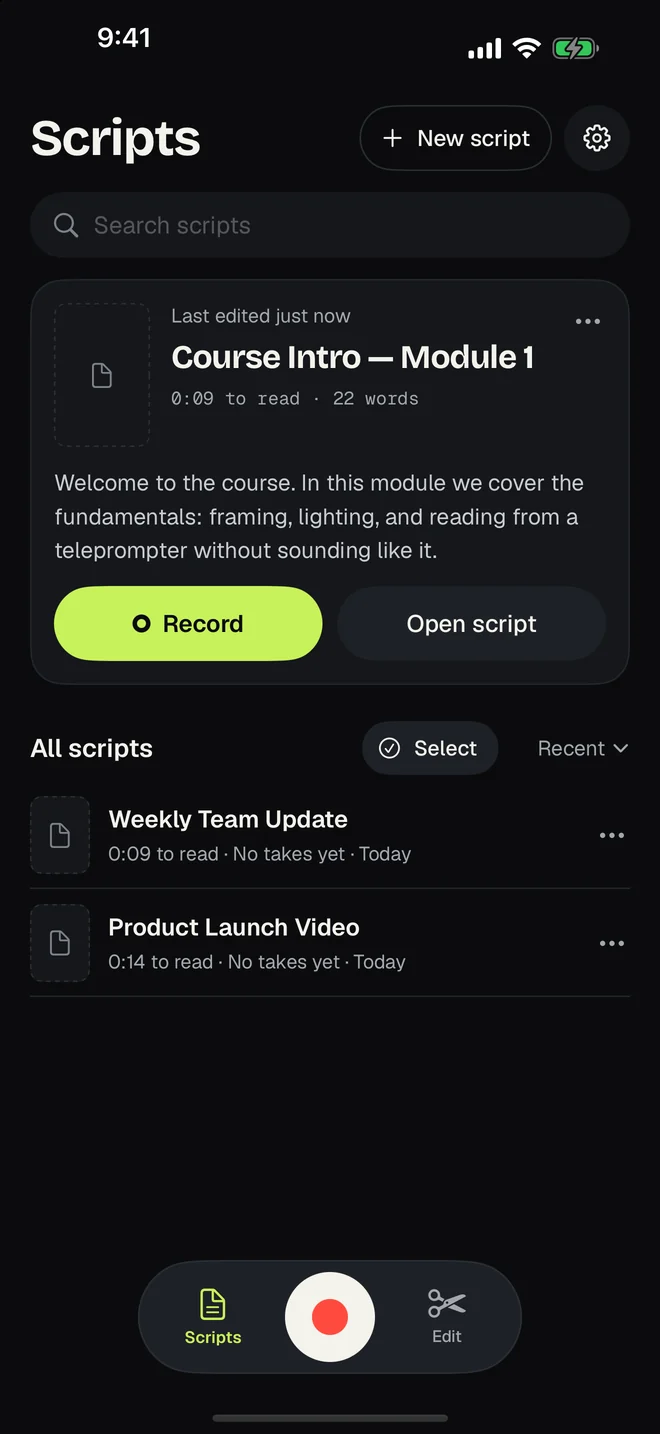
Write or import your script.
Type it, paste it, or import a photo, a document scan or a PDF. Telecut shows how long it takes to read before you press record.
02 — RECORD
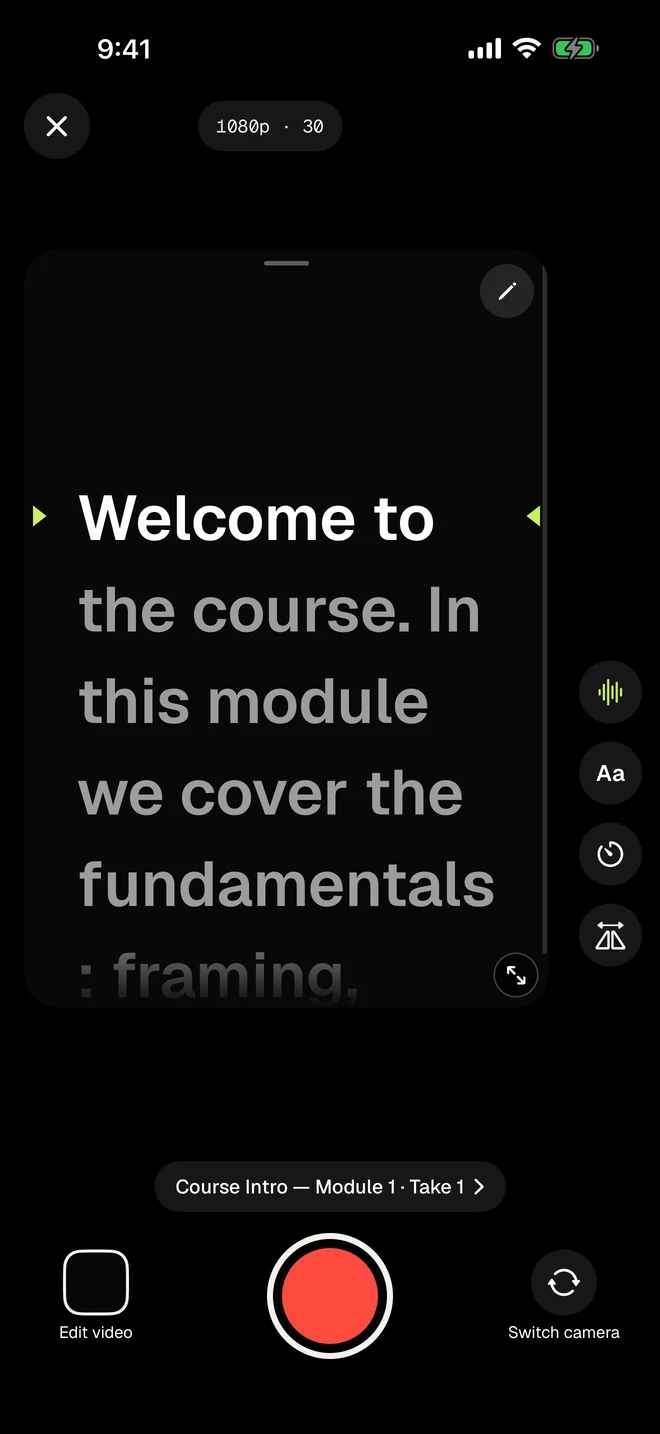
Record with the words beside the lens.
Scroll the text yourself, at a steady speed, or let AI Follow keep pace with your voice. Fluffed a line? Film it again from where you stopped, and keep only the takes you like.
03 — AUTO EDIT
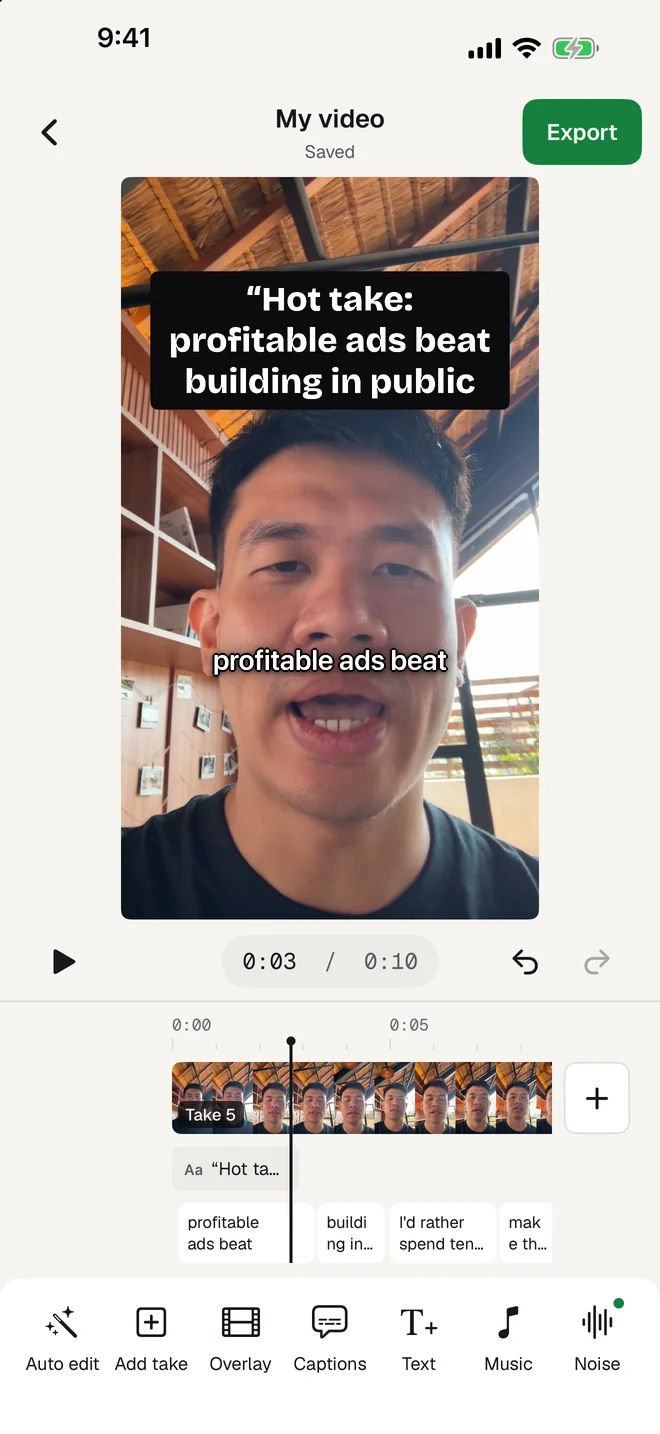
Too busy to edit? Tap once.
Auto edit reads where every word starts and ends, then does the editing for you: it cuts the dead air, captions what you said, adds a title from your script and cleans up background noise. All on your iPhone, ready to post to Reels, TikTok and Shorts.
Prefer to edit yourself? Trim and join takes, add text, overlays and music, and undo any change.
Built for one person and a phone.
Everything a solo creator needs to film a clean take, and nothing to sign up for.
AI Follow
The script keeps up with you.
Speech recognition runs on your iPhone and keeps the next words in view. Pause, skip a line or ad-lib; it holds its place and waits.
Retakes
Every take is kept.
Name the good ones and use them in a video. Nothing is overwritten.
Captions
Timed to your voice.
Made on your iPhone, spelled like your script.
Auto edit
Long pauses, gone.
Cuts dead air and awkward silences. Undo any cut.
Remote
Keyboard or clicker.
Start, pause and steer the script from a Bluetooth keyboard or presenter remote.
Make it yours
Text, overlays and music.
Up to three text boxes, photos and clips over your video, and bundled music to set the tone.
Upright or sideways
Film the way you post.
Vertical for Reels and TikTok, landscape for YouTube. The reading window moves beside the lens either way.
Your scripts never leave your iPhone.
No account
Nothing to sign up for, no password, no email.
On the device
Speech recognition, captions and text recognition run on your iPhone.
Anonymous counts only
Telecut sends usage counts that never include your words, video or voice. Privacy policy
Free to start. Pay once to keep going.
No subscription. Try every feature, then decide.
Free
US$0
- Every feature: teleprompter, AI Follow, recording, editing, captions
- 3 free exports
- No account, no ads
Telecut Pro
US$49.99once
- Unlimited exports
- Comes back on any iPhone with your Apple Account
- Nothing renews
Local prices vary by country. Bought through the App Store.
Questions
Is Telecut a subscription?
No. Every feature is free with 3 free exports. Telecut Pro is one payment for unlimited exports, and nothing renews.
Do I need an account?
No. There's no sign-up. Your scripts and videos stay on your iPhone.
Which languages does AI Follow follow?
English (US) at launch. More languages are added once each passes testing on a real iPhone.
Does it work offline?
Yes. AI Follow and captions run on your iPhone. Advanced AI captions downloads its speech model (about 629 MB) once; after that it works offline too.
Which iPhones does it run on?
iPhones with iOS 17 or later. Auto captions need iOS 26 or later.
Where are my videos?
In Telecut, until you export them or save them to Photos. Deleting the app deletes recordings you haven't saved.
More answers on the support page.
Your next video
starts with a script.
Telecut is coming to the iPhone App Store.